Approve
Approvers are users who have the permission to "Approve" requests.
After reviewing the information provided and confirming it is detailed enough for the supplier to action in full (detailed description, photos included, asset added if applicable etc), click Approve from the action bar.
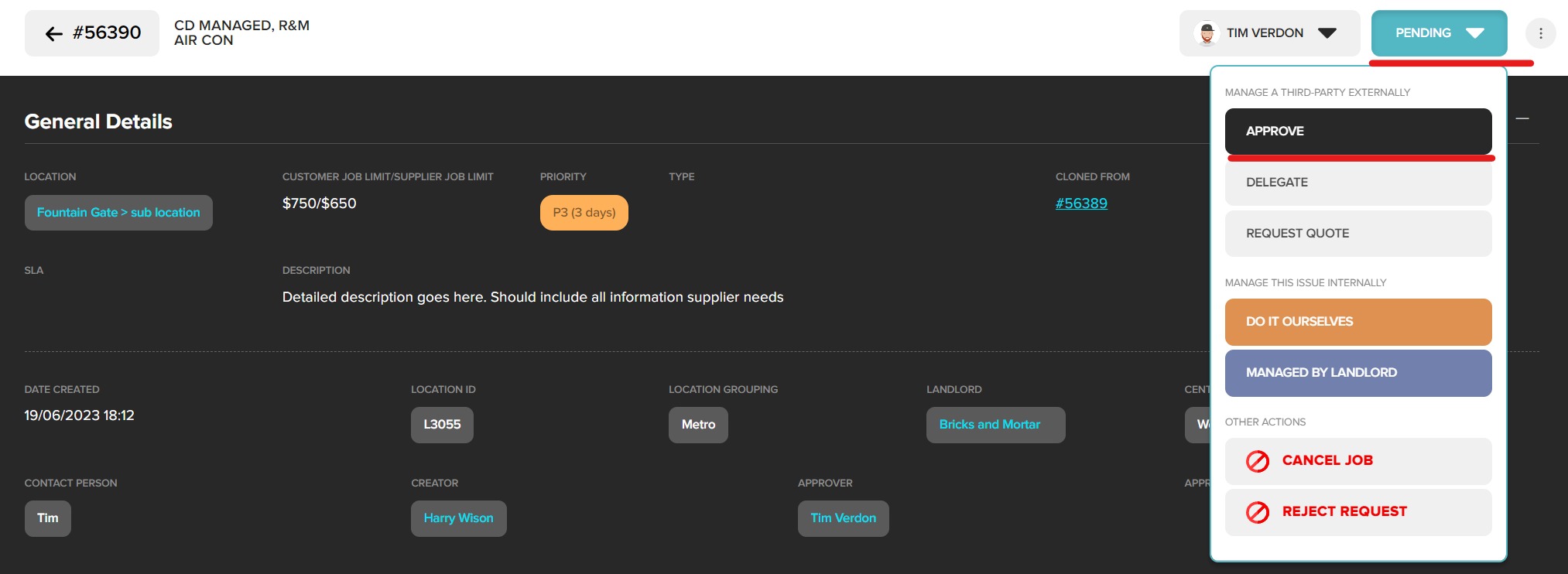
Enter an approval comment. Click Approve. Approval comment will be saved against request and included in email notification.
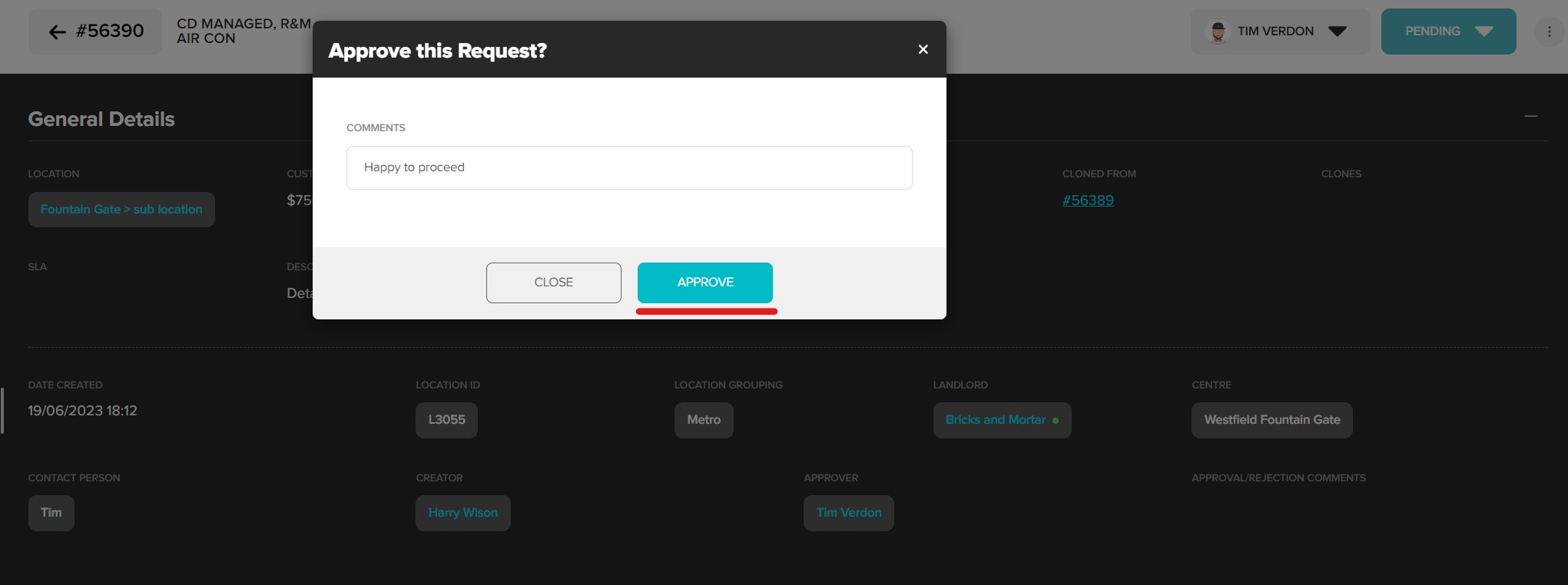
The request will move to the Approved status and can now be nominated to a Supplier. You will be kept updated via email and push notifications.
Was this article helpful?
That’s Great!
Thank you for your feedback
Sorry! We couldn't be helpful
Thank you for your feedback
Feedback sent
We appreciate your effort and will try to fix the article