To edit the priority of a request, first locate the request in the platform using the request filters.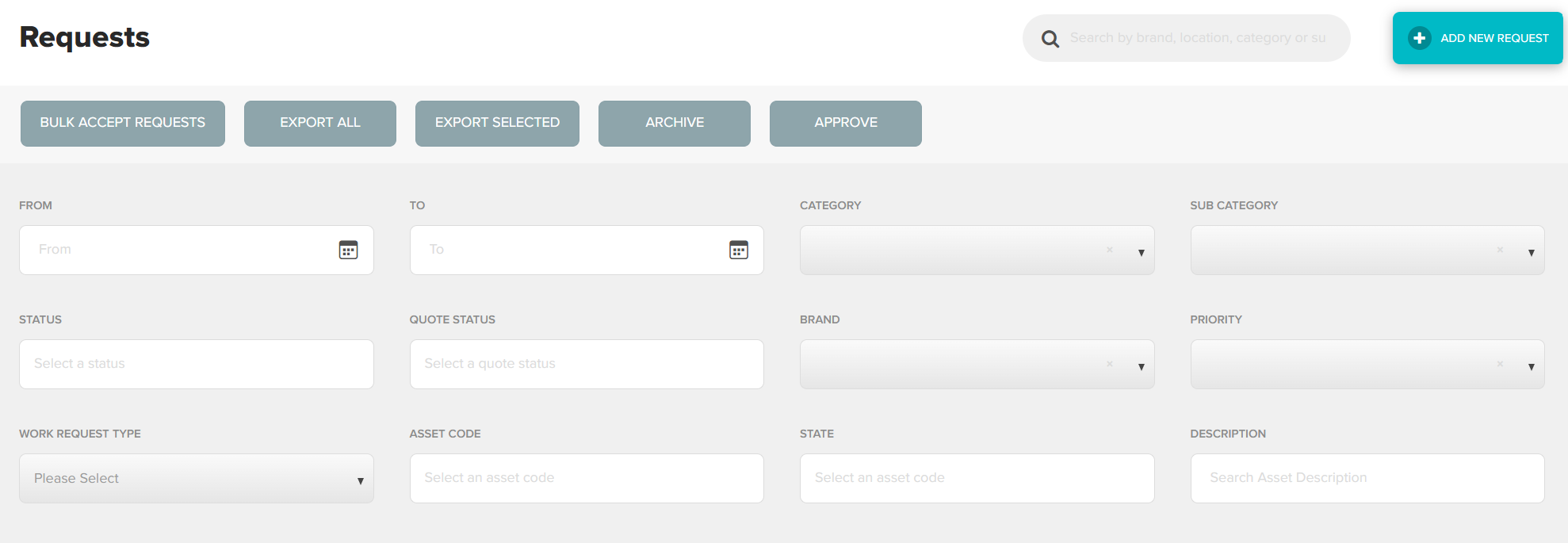
Once you have located the correct request, double click anywhere in the request to view in full
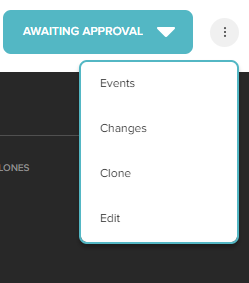
Using the three dots to the right of the action bar, hover and select Edit
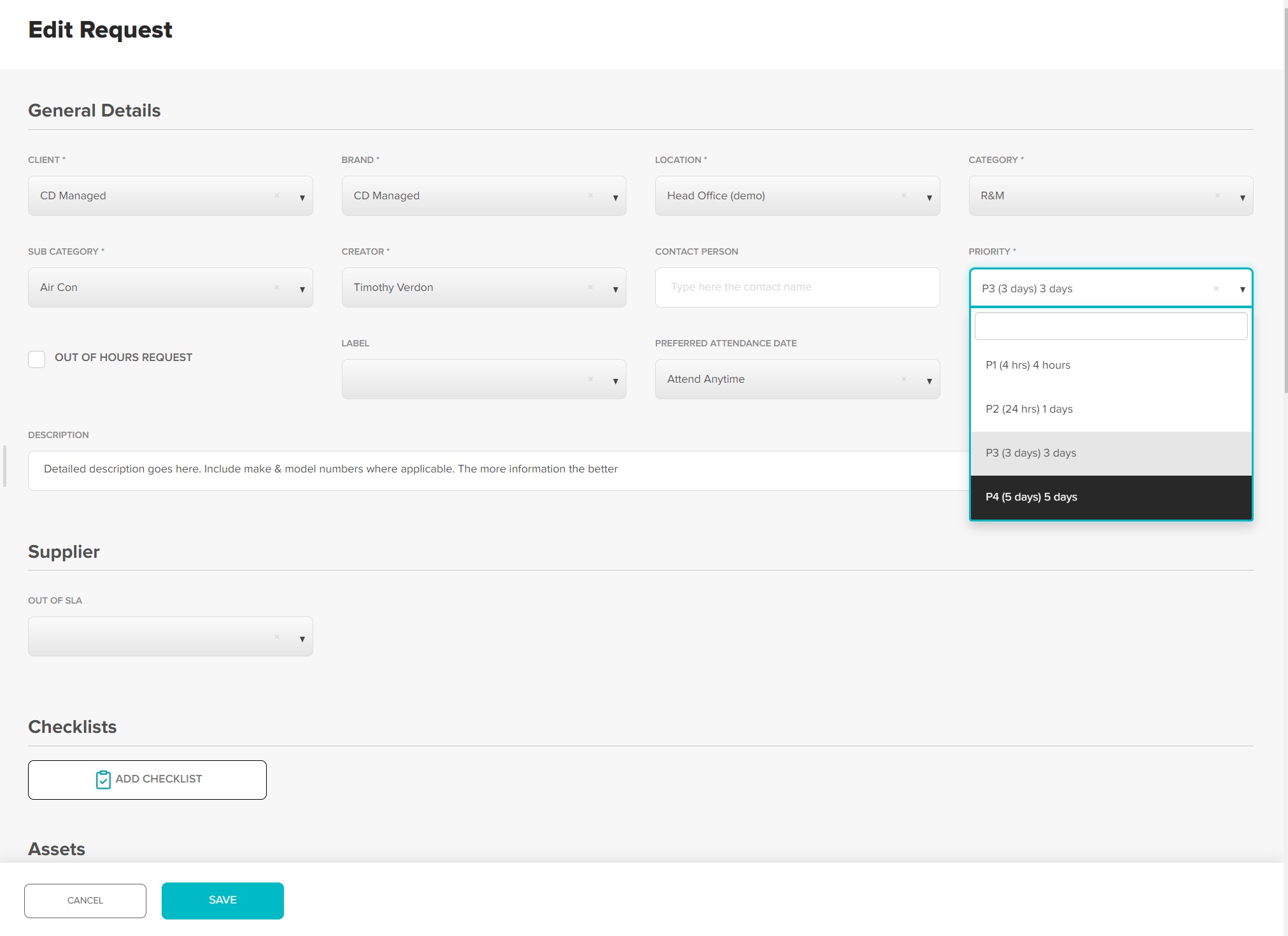
Using the Priority Drop Down, select the relevant priority. Click Save at the bottom to confirm changes
Anytime a request is edited an Email / Push notification will be sent to all users with access to that request (admin, approver, Location and supplier if nominated), advising of the changes made.
Was this article helpful?
That’s Great!
Thank you for your feedback
Sorry! We couldn't be helpful
Thank you for your feedback
Feedback sent
We appreciate your effort and will try to fix the article