As a Super Admin user, you can perform most tasks on behalf of all users.
The Supplier Review, is the final part of the Supplier attending process. Allowing supplier to confirm items provided during the attending process, or add additional.
To complete the Supplier Review, first locate the request in the platform using the request filters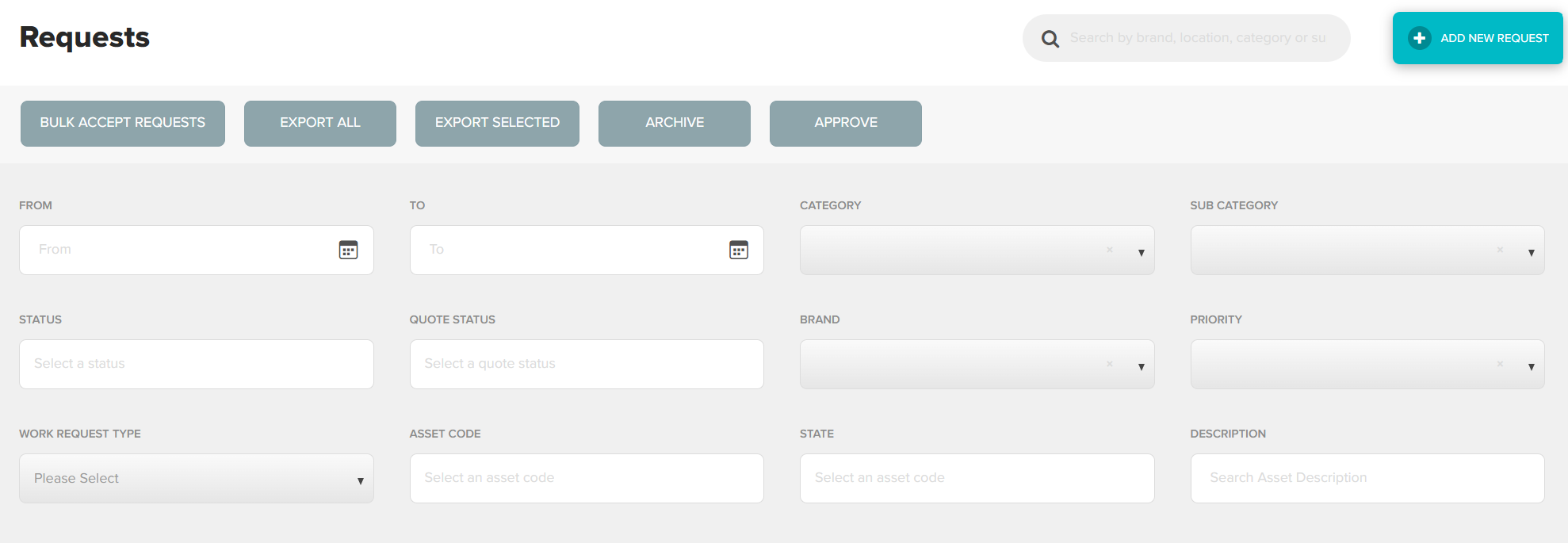
Once you have located the correct request, double click anywhere in the request to view in full
Using the action bar at the top right of the screen, click Review Items 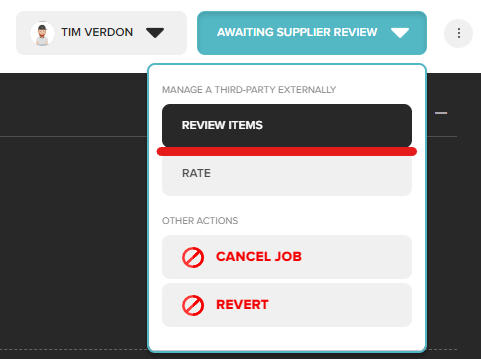
The Review Items screen will allow you to review information previously provided / add additional information. This may include the following
- Cost breakdown (items)
- Relevant reports or supporting documentation
- Invoices
- Completion Photos
Providing the above information will allow for faster processing of invoices. Anything missing may cause delays. Click Approve to submit for review.
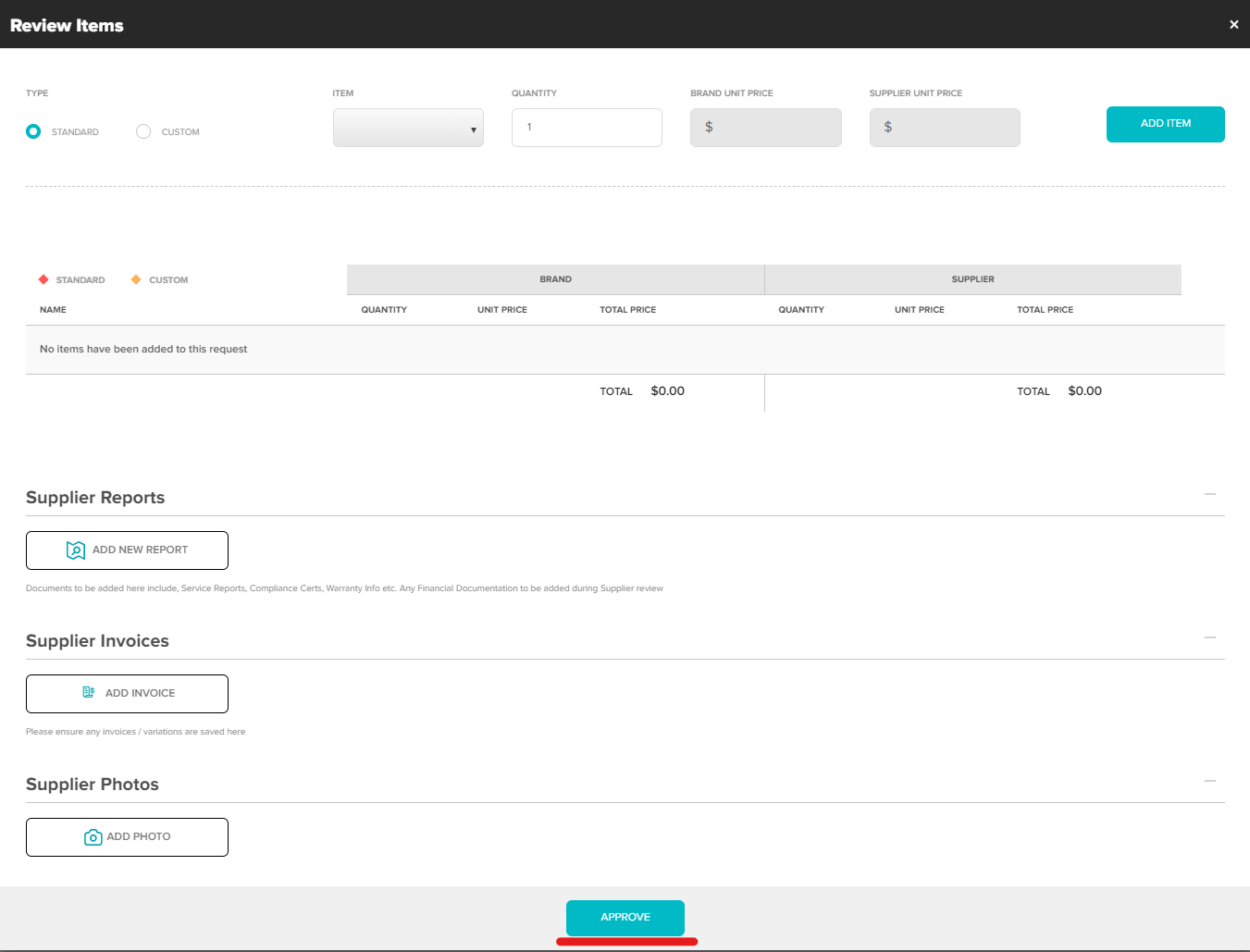
Request status will now be updated to Awaiting Admin Review
Was this article helpful?
That’s Great!
Thank you for your feedback
Sorry! We couldn't be helpful
Thank you for your feedback
Feedback sent
We appreciate your effort and will try to fix the article