As a Super Admin user, you can perform most tasks on behalf of all users.
There may be times where you need to accept requests on behalf of suppliers.
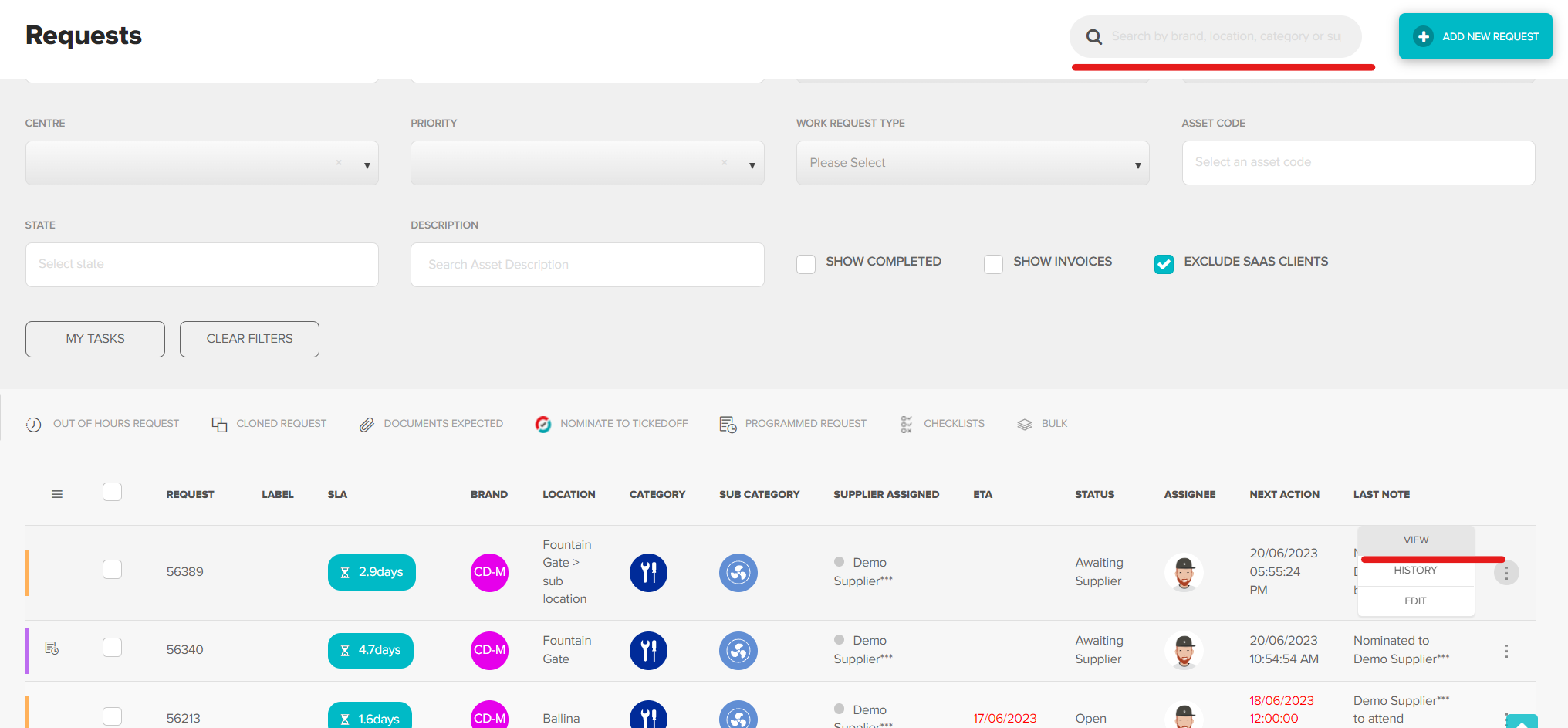
Locate the request in the platform using the search bar, click View
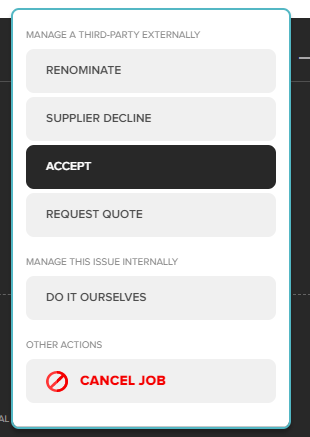
Using the action buttons click Accept
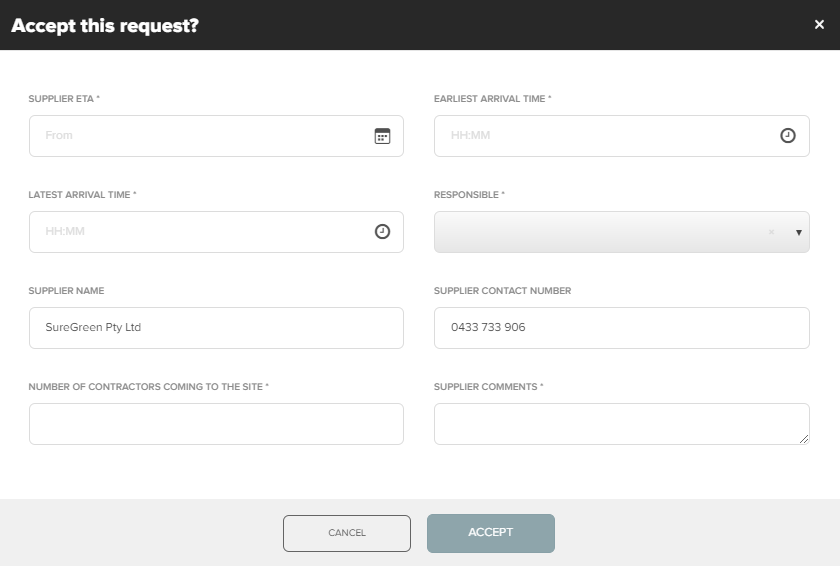
Complete the form with all information required
- Supplier ETA – The date the supplier will attend
- Earliest/latest arrival time – Attendance window
- Responsible – Supplier user who will be completing request
- Supplier contact number
- Number of techs attending
- Supplier comments
Click Accept
All parties will be notified of the date/time selected via email. The status of this request will now be changed to open.

Ticked Off tips & tricks
- If ETA is outside of regular trading hours ensure there will be site access available
- When accepting WR on behalf off suppliers, ensure request notes are updated.
- Set a reminder to follow up on completion.
Was this article helpful?
That’s Great!
Thank you for your feedback
Sorry! We couldn't be helpful
Thank you for your feedback
Feedback sent
We appreciate your effort and will try to fix the article