Ticked Off have added a functionality for you to opt in to notifications you wouldn't otherwise receive on specific Work Requests only. This will allow you to nominate yourself, other users or even external stakeholders to receive updates on work requests, without enabling all notifications or creating an account.
Accessible from the three dots menu on the top right of the page, you'll see the "Keep Me Updated" option
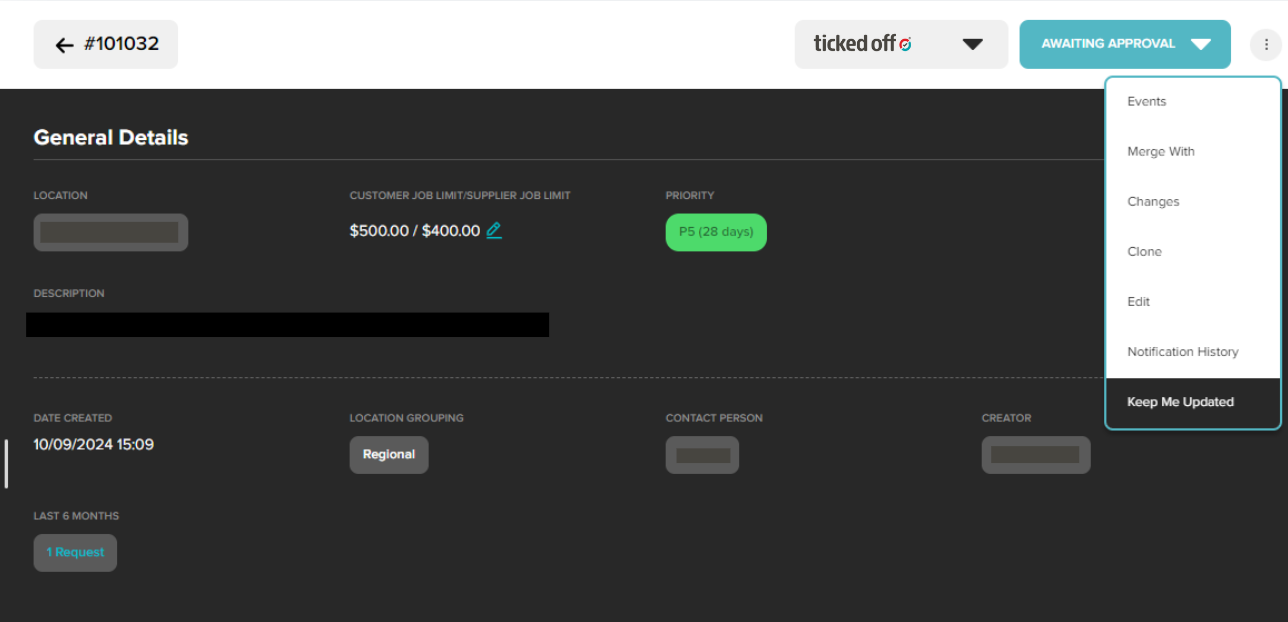
Which will open the following pop up:
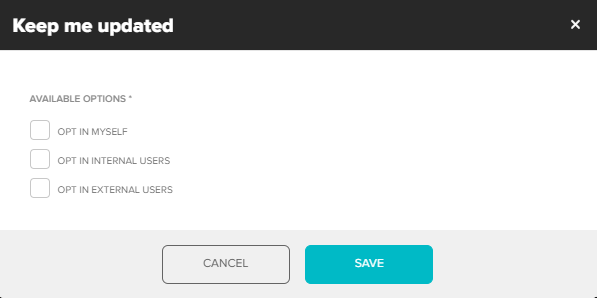
You can add as many people as you like. by entering their email addresses. They will then receive notifications for this Work Request only. Note, users with no Ticked Off account will receive notifications, but will not be able to view the details of the Work Request.
To share a snapshot of the Work Request, please see the Share a Work Request Externally article.
Was this article helpful?
That’s Great!
Thank you for your feedback
Sorry! We couldn't be helpful
Thank you for your feedback
Feedback sent
We appreciate your effort and will try to fix the article