Eliminate unnecessary notification updates, by opting in to only receive notifications for Work Requests that have been assigned to, or created by, you. This new feature will be useful to users who are linked to multiple locations and may be receiving updates for all jobs
To implement this setting for yourself, follow the steps below:
In the Ticked Off web platform, head to your profile by clicking the person icon at the top of the left hand panel.
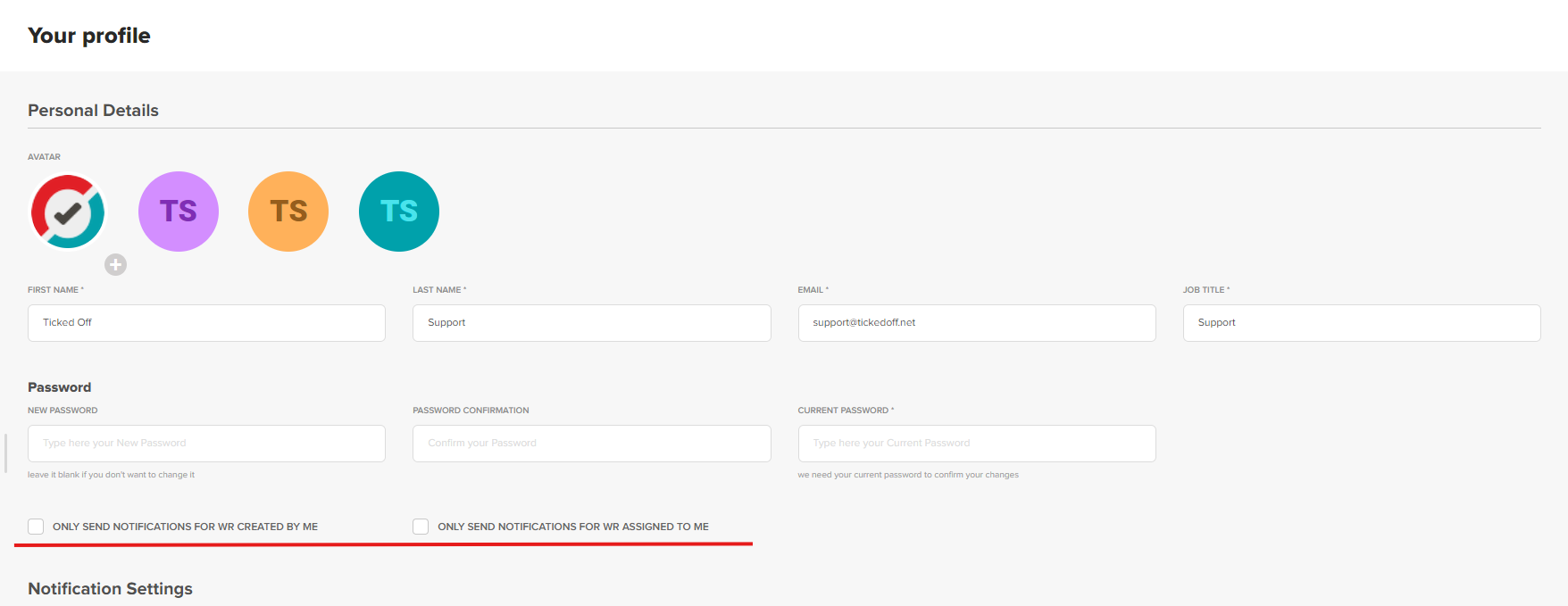
Underneath your Password settings, you'll see two checkboxes:
- Only send notifications for Work Requests created by me
- Only send notifications for Work Requests assigned to me
Selecting one or both of these will override any settings you currently have in the Notification settings below.
! Keep in mind that you already have a high level of control over your Notification Settings already - it may make more sense to change the individual settings to be sure you don't miss any important updates.
Was this article helpful?
That’s Great!
Thank you for your feedback
Sorry! We couldn't be helpful
Thank you for your feedback
Feedback sent
We appreciate your effort and will try to fix the article