Supplier User Accounts
There are two different user types for suppliers. Each supplier must have at least one Supplier Admin user.
- Supplier Admin - Can accept / schedule requests and complete the supplier review. Has visibility over all requests nominated to their business.
- Supplier User - Can be delegated a request by a supplier Admin. Will only see requests that have been delegated to them.
Once the Supplier Profile has been created you can add users. From the profile click "add user to supplier" (top right).

Enter required user info.
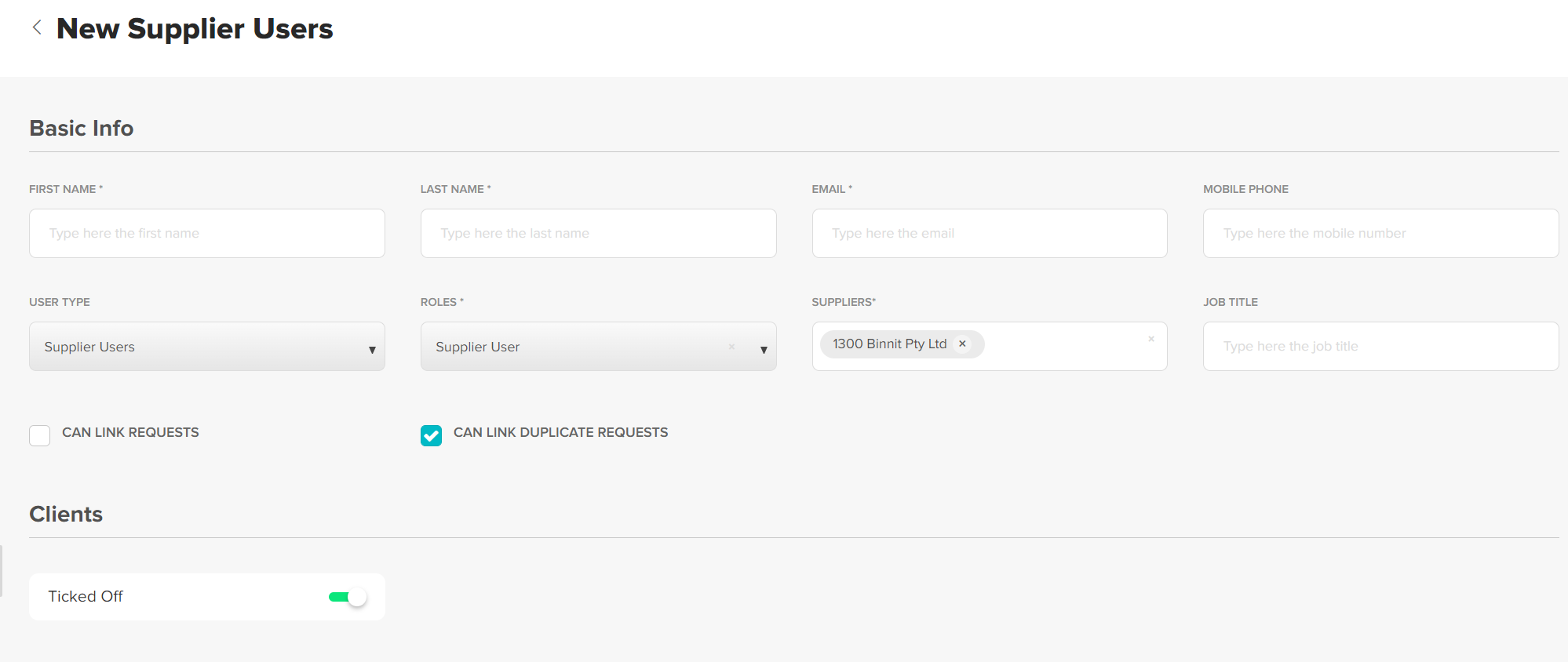
Ensure Can Link Duplicate Requests and Client is selected.
Once you have added the user they will receive an account confirmation email, this will allow them to create a password. Their username will be their email address. They use the same details to log into both web platform and mobile app.
Was this article helpful?
That’s Great!
Thank you for your feedback
Sorry! We couldn't be helpful
Thank you for your feedback
Feedback sent
We appreciate your effort and will try to fix the article