Each location will be supplied with a Ticked Off Token. This Token will display your unique QR code and will allow both Suppliers and Visitors to sign in into site.
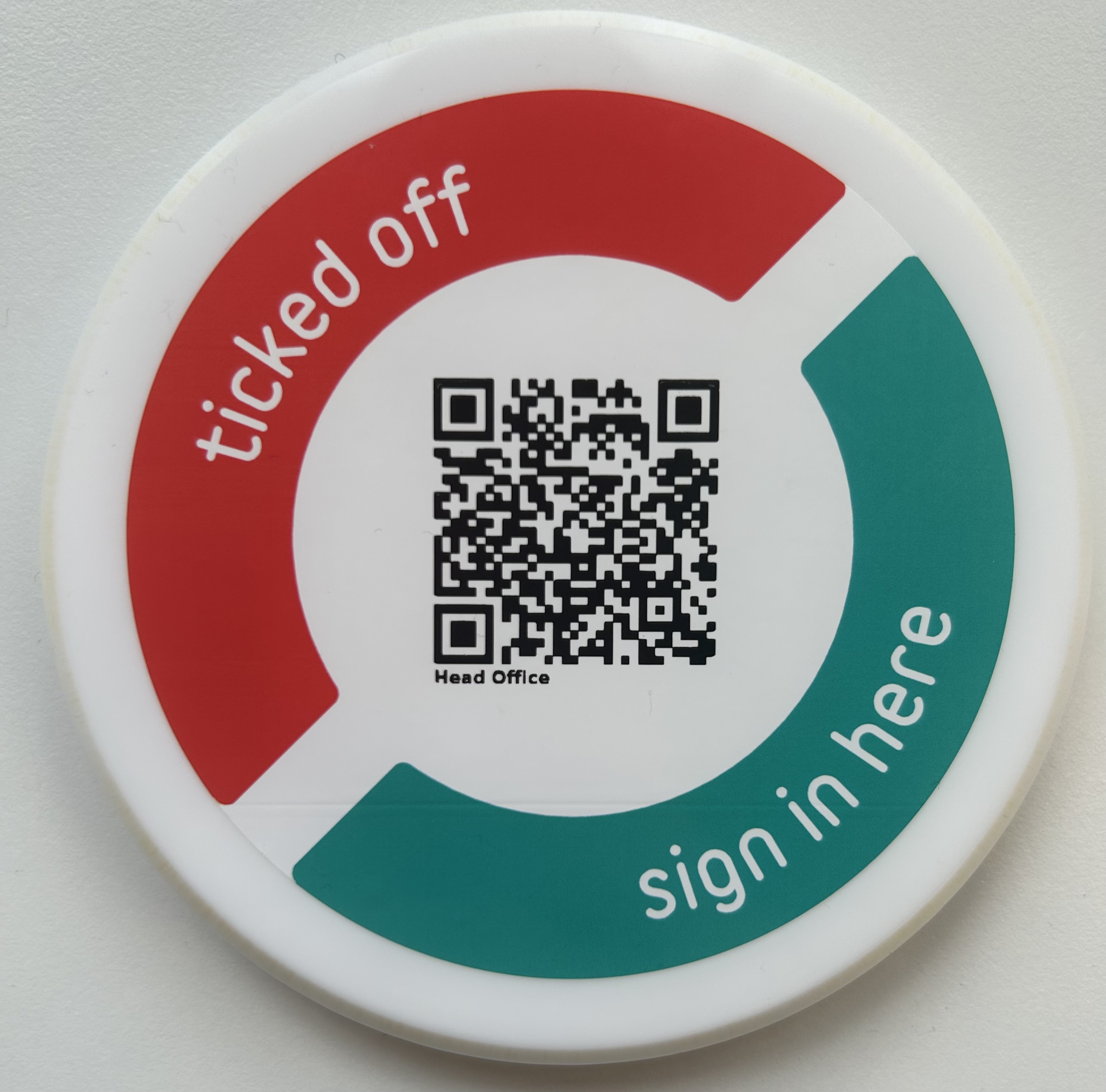
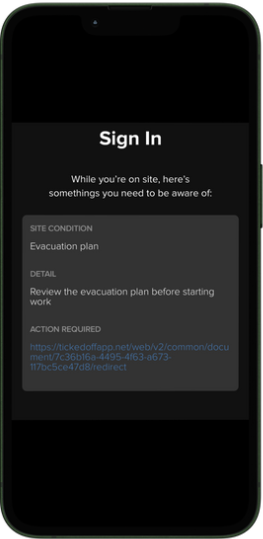
Signing in will alert users to any known risks / conditions associated with your location and track who is coming & going for WHS compliance and your own records.
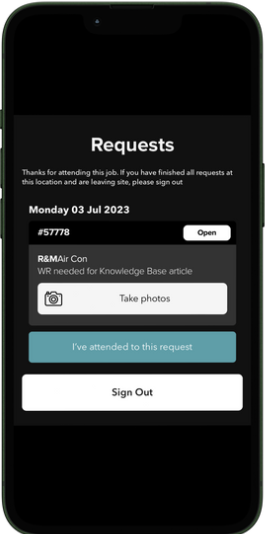
Suppliers have the ability to view Work Request details and provide updates (attendance date / time, photos etc) after signing in.
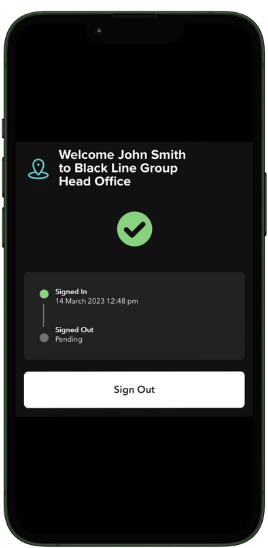
Every supplier visiting your site must sign in before they start any work. Please ensure the Token is placed in a discrete but accessible location. You can ask the supplier to show you the sign in Tick on their device, or to complete any required induction checklists.
You can view current and historical data of sign-ins at your location, at any time via the On Site tab in the Ticked Off web platform. Here, you can also pull reports of site visits as needed.
If your Token goes missing or is damaged, please contact support@tickedoff.app as soon as possible for a replacement.
Was this article helpful?
That’s Great!
Thank you for your feedback
Sorry! We couldn't be helpful
Thank you for your feedback
Feedback sent
We appreciate your effort and will try to fix the article