This feature is all about saving you time and making the process smoother - no need to log in to the platform or open the app to mark a job as Attended!
The day after a work request was due, you will receive an email asking you to confirm whether you attended, or need to update the ETA to a future time and/or date. Clicking the "Attend" button will move the job along to the Awaiting Supplier Review stage (note you will still need to log in to the platform to complete this stage).
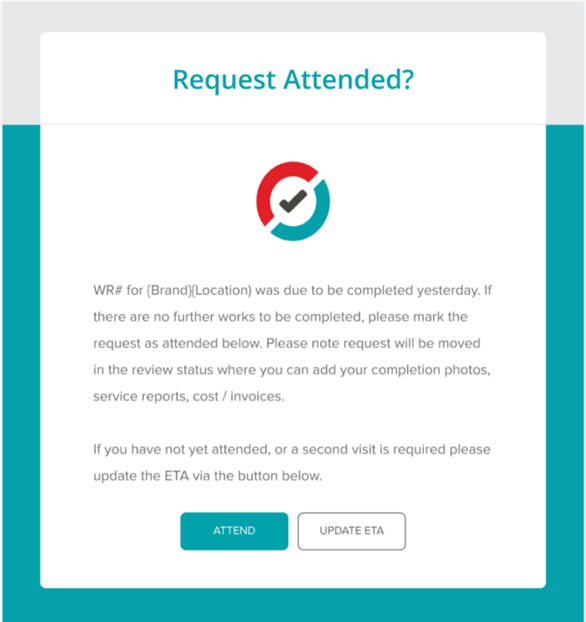
Selecting "Update ETA" will take you to the platform to edit the job date and time.
 Pro Tip: Remember you can configure your account to "Auto Attend" jobs provided you sign in and out using the sites QR code. Please reach out if you would like to set this up!
Was this article helpful?
That’s Great!
Thank you for your feedback
Sorry! We couldn't be helpful
Thank you for your feedback
Feedback sent
We appreciate your effort and will try to fix the article