Editing / Archiving / Unarchiving Files & Links
There are two locations you can edit / archive Files & Links
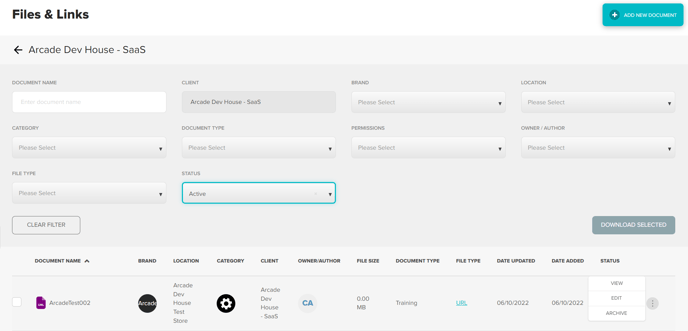
- Files & Links landing page Hover over the three dots and select required action
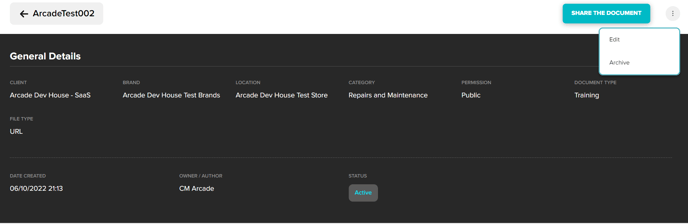
- General Details page While in the view screen click the three dots in the top right hand corner and select required action
Was this article helpful?
That’s Great!
Thank you for your feedback
Sorry! We couldn't be helpful
Thank you for your feedback
Feedback sent
We appreciate your effort and will try to fix the article