Document Types
Every item saved, must have it's "type" classified. Common documents types are;
- Quotes
- Service Agreements
- Service Reports
- Finishes Schedule
- Training Materials
Document types are added via the configuration tab.
- From the configuration tab (left hand menu) select Document Type
- Located in the top right-hand corner of the screen, select Add New Document Type
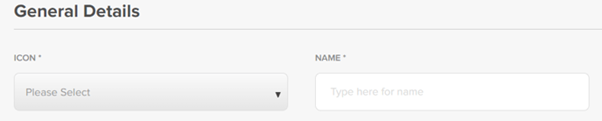
- Select an icon from the dropdown menu and enter the name of the document type. Select Save at the bottom of the screen
- Document type will now be available as an option when creating documents
You can edit, archive / unarchive document types using the three dots to the right of document details

Was this article helpful?
That’s Great!
Thank you for your feedback
Sorry! We couldn't be helpful
Thank you for your feedback
Feedback sent
We appreciate your effort and will try to fix the article