Sharing Files & Links
Files and links can be shared via a URL. Recipients may require a Ticked Off account to view URL based off the documents permissions
Sharing a single item
From the Files and Links landing page, locate the item you wish to share and click view
- Select Share The Document (top right hand corner of screen), URL will be copied to your clipboard
- In your email, right click and select paste (or Ctrl v). Link will be pasted ready for you to share
Sharing multiple items
- Using the tick boxes to the left, select the items you wish to share
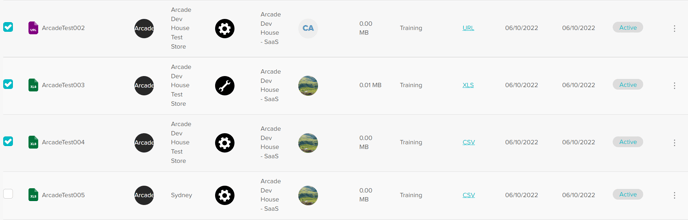
- Once selections have been made select Download Selected. Items will be downloaded in a ZIP file to your device for you to share as you wish
Was this article helpful?
That’s Great!
Thank you for your feedback
Sorry! We couldn't be helpful
Thank you for your feedback
Feedback sent
We appreciate your effort and will try to fix the article