Searching / Filtering Files & Links
From the Files & Links landing page, use the filters to narrow down the results displayed
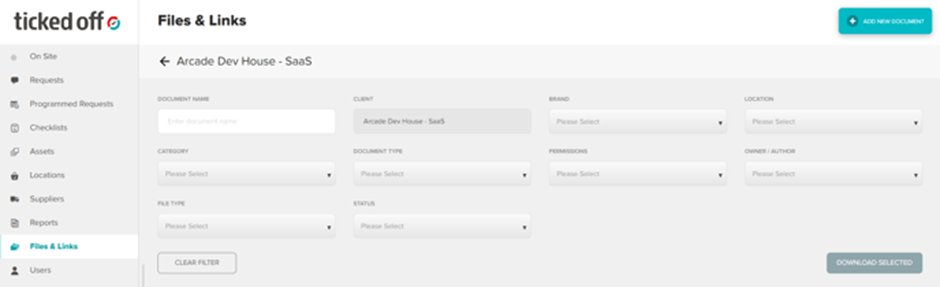
You can further sort by clicking the column titles

To view the general details of the file or link you can;
- double click anywhere in the row

- Hover over the 3 dots to the right and click view
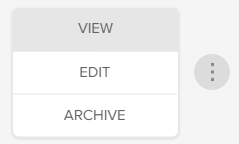
From the general details screen you can;
- View
- Share
- Edit
- Archive / Unarchive
Was this article helpful?
That’s Great!
Thank you for your feedback
Sorry! We couldn't be helpful
Thank you for your feedback
Feedback sent
We appreciate your effort and will try to fix the article