As a supplier on Ticked Off, you will be required to upload your insurance certificates, and ensure they are kept up to date. Failure to do so will restrict the ability for requests to be nominated to you.
You will receive an automated notification at 30 days, 14 days and 5 days prior to each insurance expiring.
To upload or update your insurance Certificates:
Log into the Ticked Off portal here
Click on the tab labelled Certificates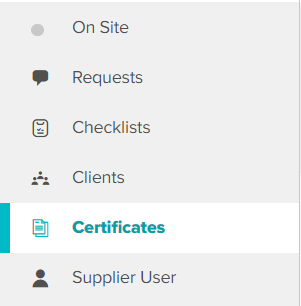
Click Add New Certificate in the top right corner 
Complete all required fields. Issue and expiry dates will be verified by the administrator. Upload a copy of the document
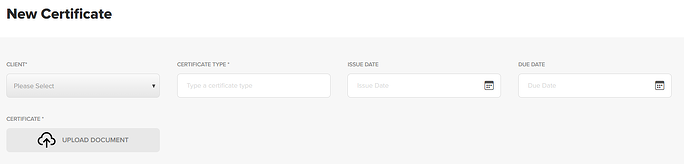
Click Create Certificate at the bottom of the screen
Repeat the steps for multiple certificates.
Administrators will be notified once uploaded, and need to verify the certificates provided before they are approved.
Was this article helpful?
That’s Great!
Thank you for your feedback
Sorry! We couldn't be helpful
Thank you for your feedback
Feedback sent
We appreciate your effort and will try to fix the article