All suppliers used by Ticked Off must hold relevant Insurances / Certificates. These are managed via the company profile in the Supplier Tab.
Suppliers will receive automated notifications 30 days, 14 days, and 1 day prior to each insurance expiring. You will be unable to nominate requests to a supplier if their insurances are out of date.
When a supplier updates their insurances, you will receive an email notification advising that your review / approval is required. 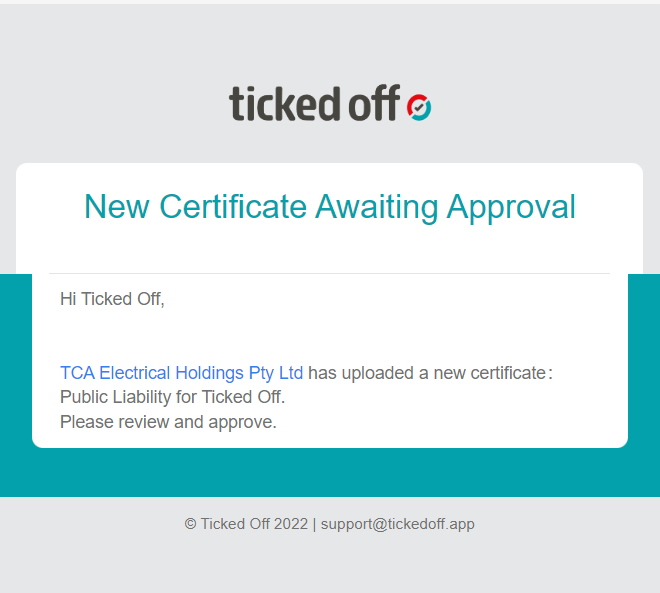
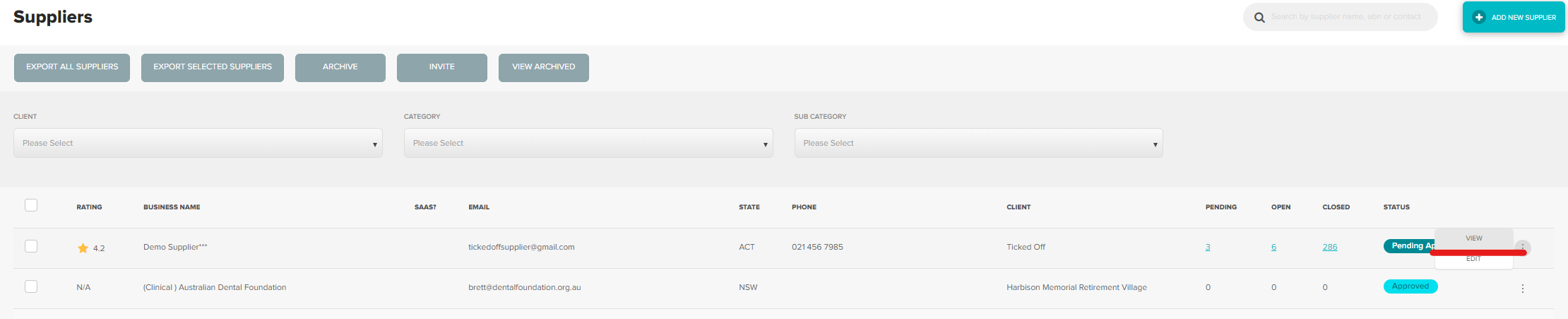
To review, locate supplier in the Supplier Tab, (clicking hyperlink in email will take you to where you need to be). All suppliers pending approval will be displayed at the top of the page.
Click View via the 3 dots to the right.
Click on the Certificates tab. (You will see a small red explanation mark).
Review details entered by supplier
- Click the link to the document added and ensure the issue date and due date match what has been entered into the platform.
- Ensure that any limits are in line with requirements.
- Change the new certificate to YES for the question “Due Date Impact Flow?”.

- Locate the expired version and update to NO for “Due Date Impact Flow”

- Select Approve at the bottom of the page.

Updated certificates will now be visible on the company profile page and requests can continue to be nominated to them.

Was this article helpful?
That’s Great!
Thank you for your feedback
Sorry! We couldn't be helpful
Thank you for your feedback
Feedback sent
We appreciate your effort and will try to fix the article