Work Request Creation
Users will now be prompted to add assets during WR creation.
Based off the Location / Subcategory selected, available assets will be listed.

Double click the asset to add to the WR, used the X to the right to remove.

Work Request Approval
Users will be prompted to review available assets and have the ability to easily add them to the WR.
Based off the Location / Subcategory selected, available assets will be listed.
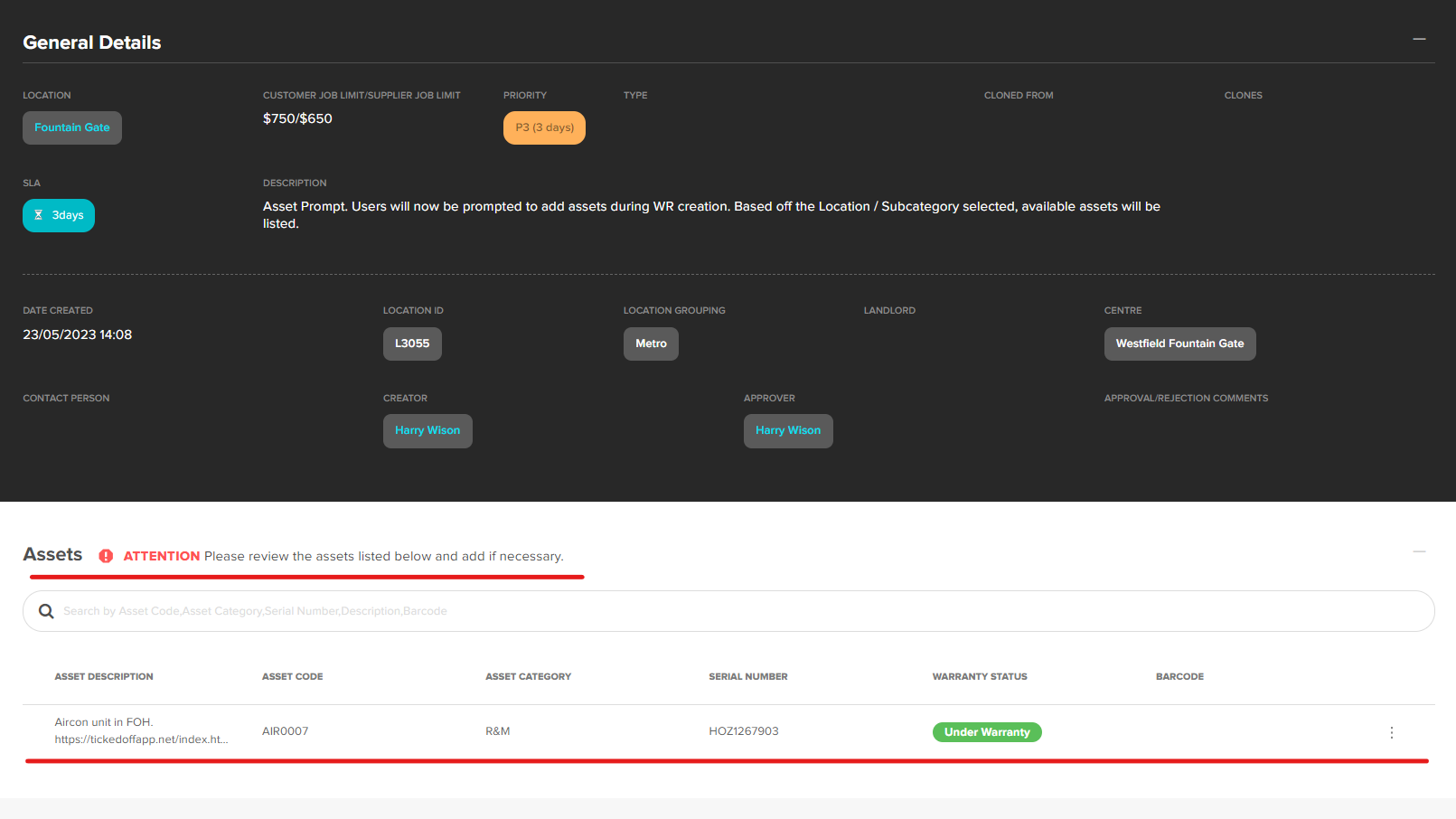
Double click the asset to add to the WR, use the X to the right to remove.

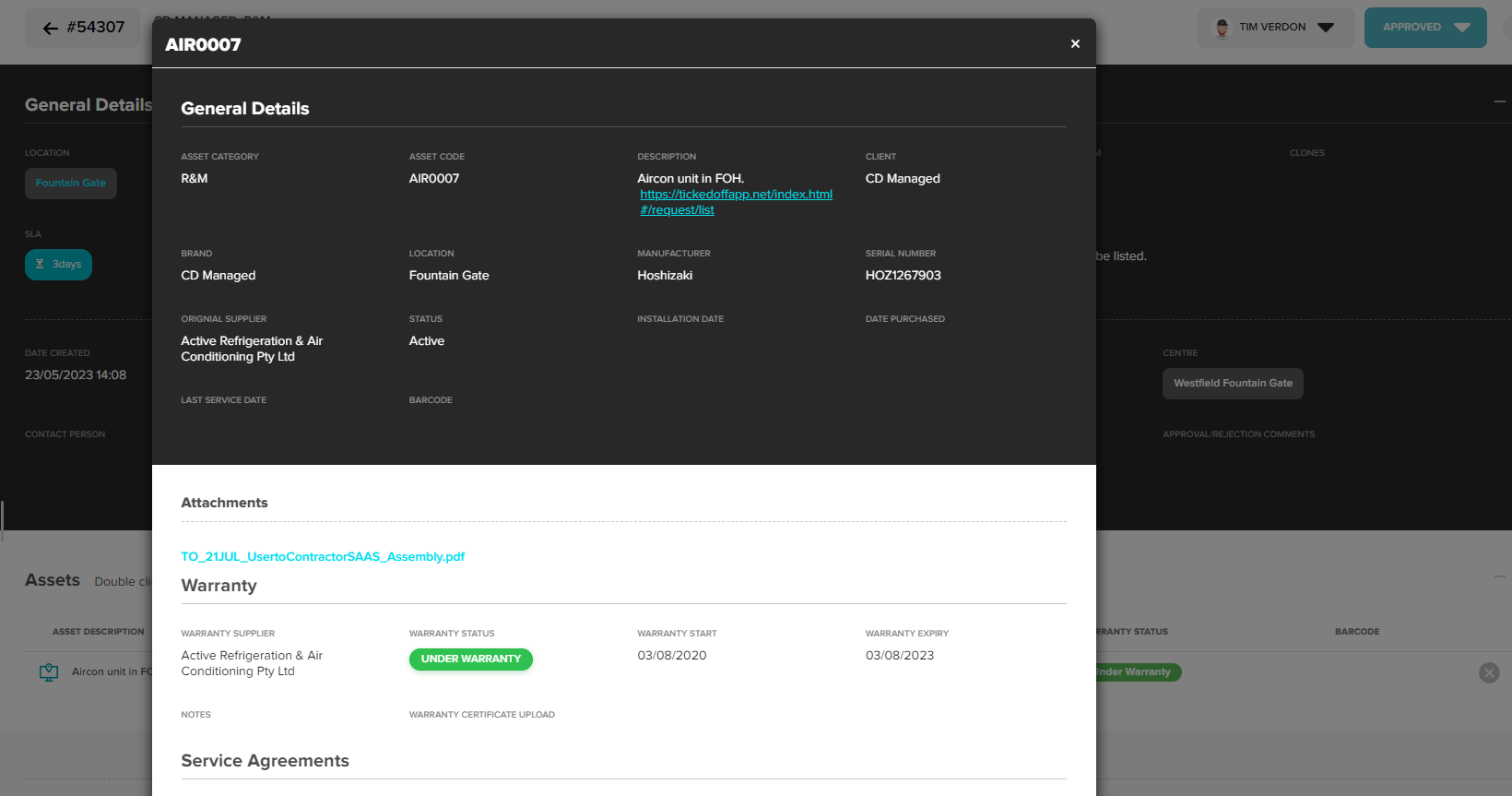
Double clicking asset again will display full asset details.
Was this article helpful?
That’s Great!
Thank you for your feedback
Sorry! We couldn't be helpful
Thank you for your feedback
Feedback sent
We appreciate your effort and will try to fix the article