View Live Sign In Data
Via the On Site "Live" tab, you can review who is currently signed in across your network.
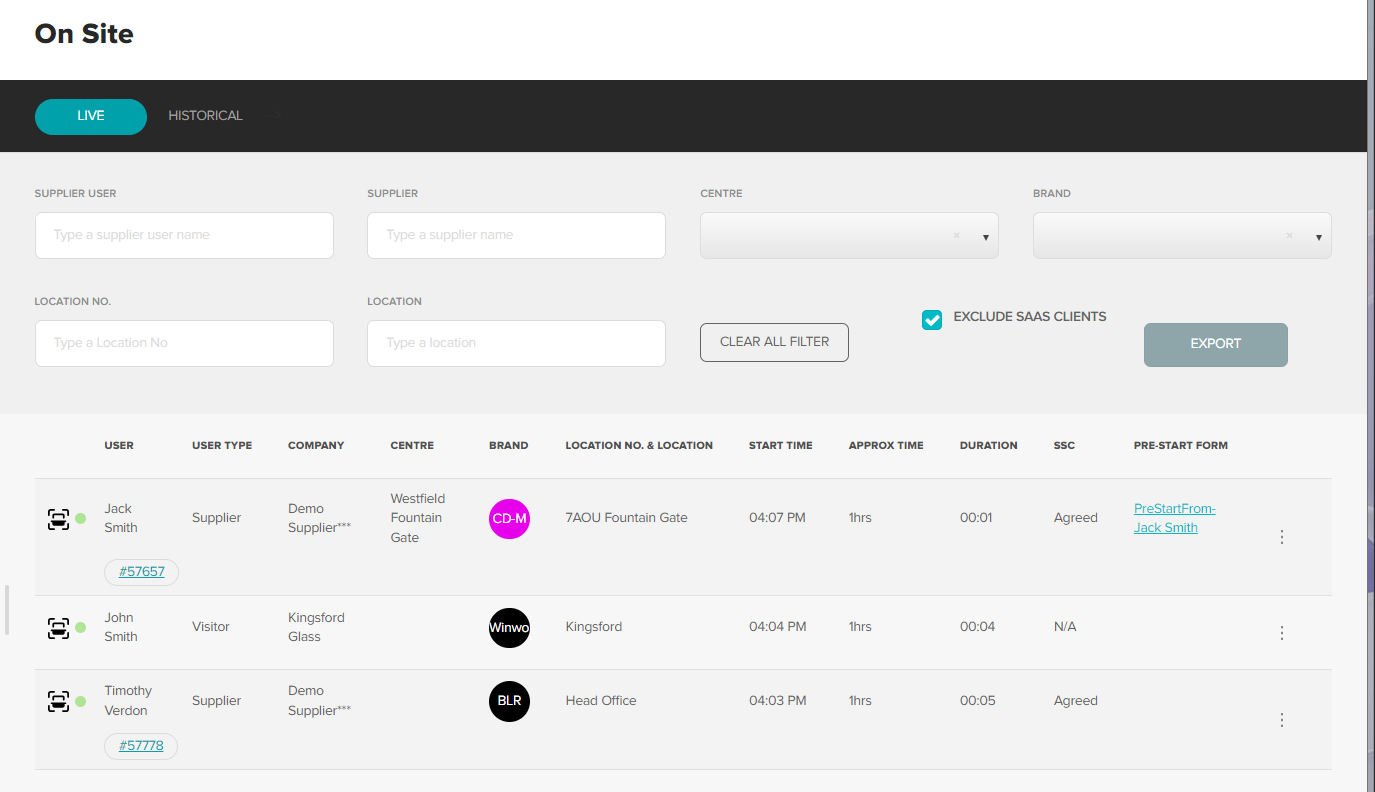
Sign In's displayed will be for both external (suppliers) and internal visitors.
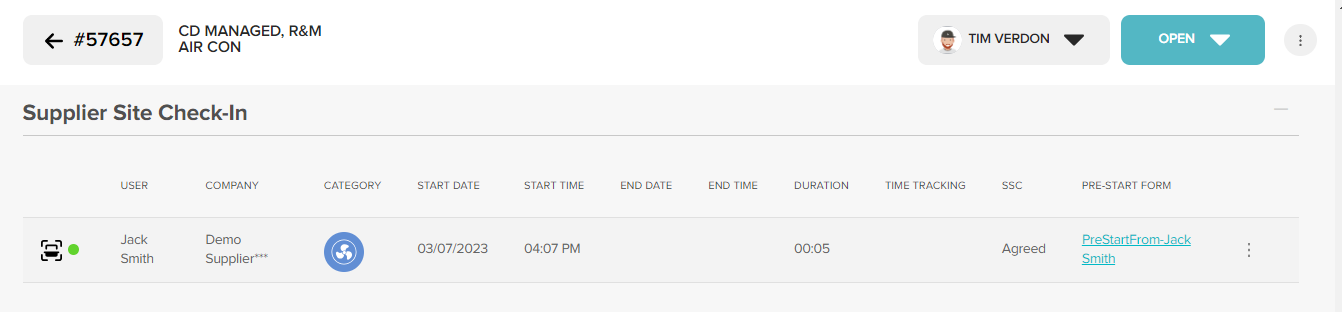
Clicking the WR number listed will take you through to the request the supplier is onsite to complete. The sign in will also be captured in the WR itself.
A green dot beside the suppliers name (WR list view) means they are onsite for that request now.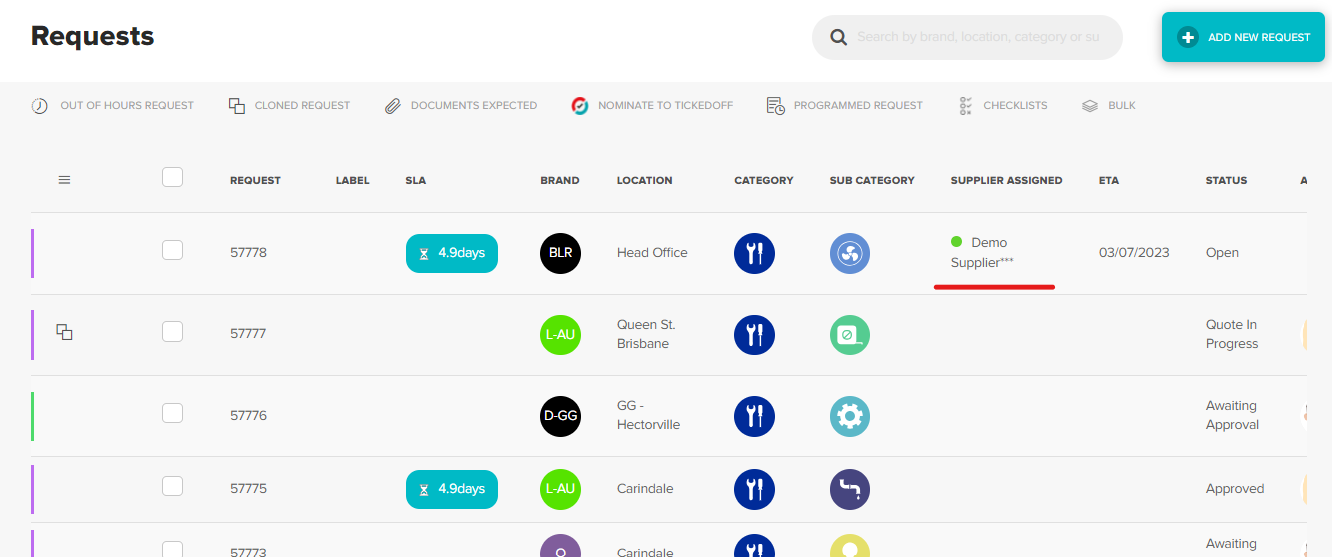
View Historical Sign In Data
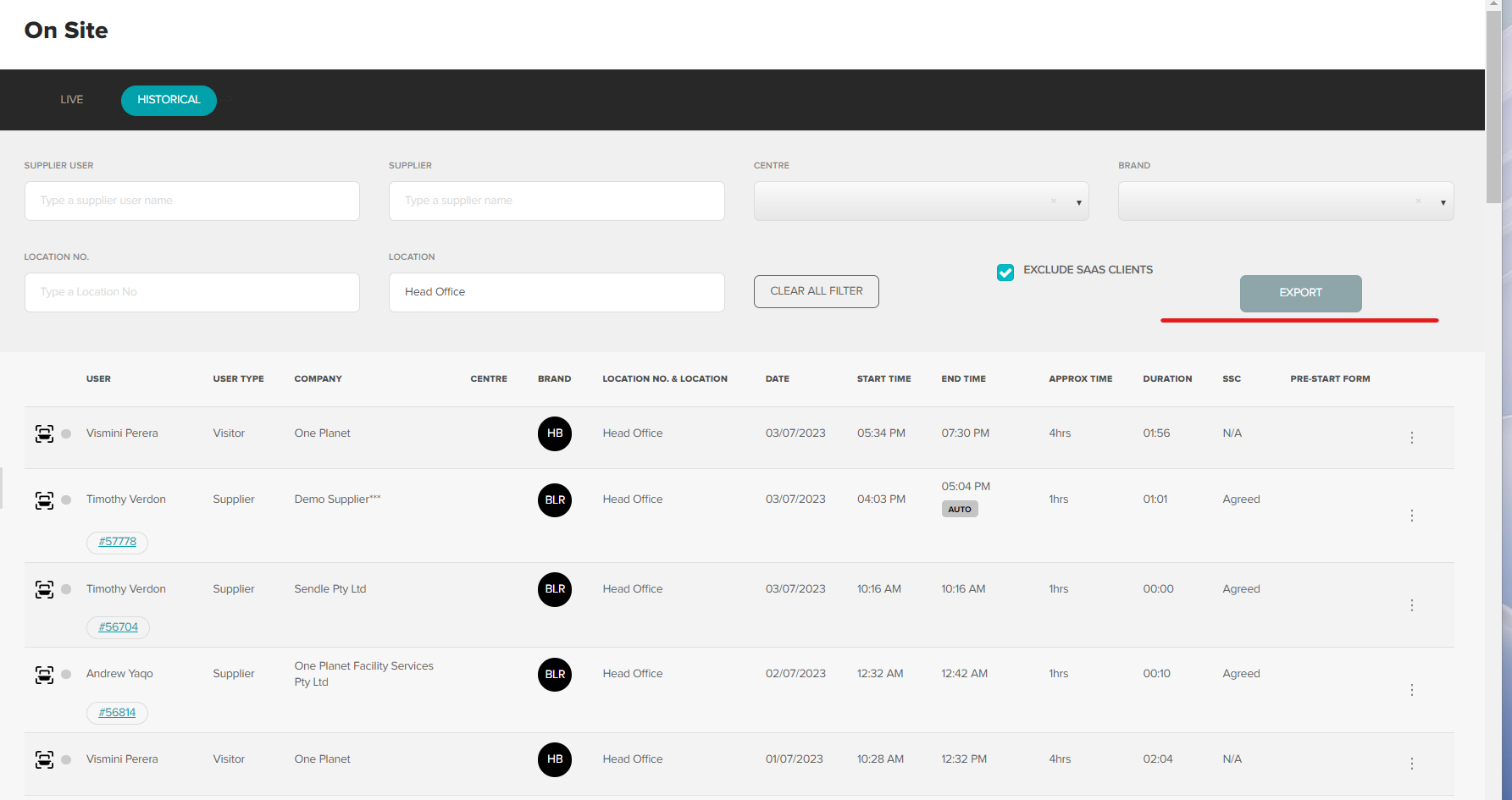
Via the On Site "Historical" tab, you can review all historical sign in across your network.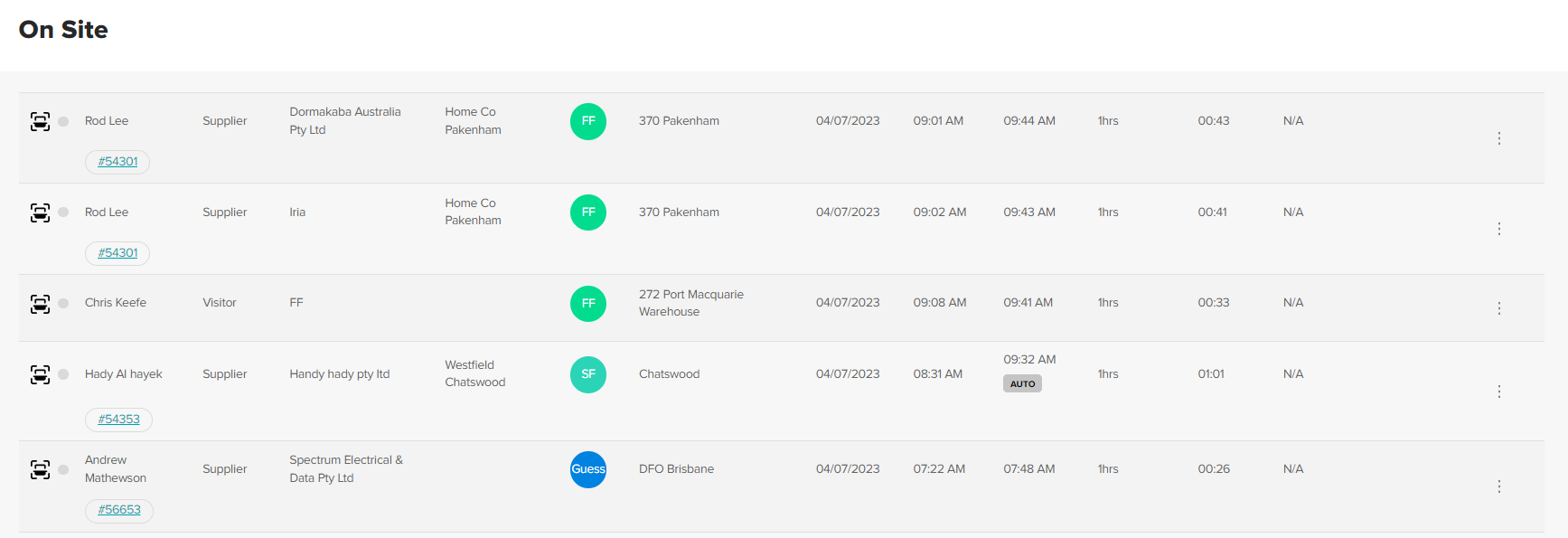
Filter Sign In results by using filters at the top of the page.

To export to CSV, use the filters to narrow displayed results down to what you would like included. Click Export. CSV will be downloaded to your device. PowerBi reporting available.
Was this article helpful?
That’s Great!
Thank you for your feedback
Sorry! We couldn't be helpful
Thank you for your feedback
Feedback sent
We appreciate your effort and will try to fix the article